

- お役立ち記事
- [Fast delivery CAD design] How to utilize mockups that can be used at the prototyping stage

[Fast delivery CAD design] How to utilize mockups that can be used at the prototyping stage

目次
Understanding the Importance of CAD Design in Prototyping
In the fast-paced world of product development, speed and accuracy are crucial.
Companies are constantly seeking ways to streamline their processes and get their products to market quickly.
One essential tool that has been instrumental in achieving these goals is CAD design.
Computer-Aided Design (CAD) allows engineers and designers to create detailed and precise digital models of products.
These models can be used to visualize, analyze, and refine design ideas before any physical prototype is made.
During the prototyping stage, CAD designs serve as the blueprint for the final product.
They provide a clear vision of what the product will look like, how it will function, and how all the components will fit together.
This clarity is invaluable in preventing costly mistakes and ensuring that the end product meets all required specifications and quality standards.
What are Mockups and Their Role in Prototyping?
Mockups are an essential part of the CAD design process, particularly during the prototyping stage.
A mockup is a scale or full-size model of a design or device, used primarily to demonstrate or test its functionality or appearance.
Unlike CAD models, which exist purely in digital form, mockups are tangible items that can be physically examined and tested.
The role of mockups in prototyping is multifaceted.
They allow designers to explore different design options quickly and efficiently.
Changes and adjustments can be made on the spot, enabling teams to iterate rapidly.
Mockups also provide an opportunity to gather feedback from stakeholders and potential users, which can be invaluable in refining the design.
Benefits of Incorporating Mockups in CAD Design
Integrating mockups into the CAD design process offers several benefits.
Firstly, mockups enhance the designer’s ability to visualize the final product.
Seeing a three-dimensional model up close can highlight potential issues that might not be apparent in a digital rendering.
Secondly, mockups can save time and reduce costs associated with the prototyping process.
By identifying problems early in the design process, companies can avoid the expense of producing multiple physical prototypes.
Changes can be made at the mockup stage rather than after costly production.
Moreover, mockups facilitate more effective communication within design teams and with external stakeholders.
They serve as a focal point for discussions, allowing all parties to align their visions and expectations.
Types of Mockups Used in Fast Delivery CAD Design
There are several types of mockups that can be incorporated into the CAD design process, each suited to different stages of prototyping.
Paper Mockups
Paper mockups are the simplest and most cost-effective type of mockup.
They are typically used in the early design stages to quickly explore multiple ideas.
Despite their simplicity, paper mockups can provide valuable insight into the basic shape and functionality of a design.
Foam Mockups
Foam mockups offer more detail than paper ones and can be quickly modified with basic tools.
They are ideal for examining the ergonomic aspects of a design and are often used in the consumer product industry.
Foam mockups provide a solid, tactile feel, allowing designers to explore how a product will fit in the user’s hand or space.
3D Printed Mockups
3D printed mockups combine the speed of digital design with the tangible quality of a physical model.
They are excellent for testing form, fit, and function and can be produced directly from CAD files.
3D printing allows for rapid prototyping, enabling designers to make swift iterations and refinements.
Steps to Utilize Mockups Effectively
To make the most out of mockups in CAD design, it is crucial to follow a structured approach.
Define the Purpose
Before creating a mockup, it’s essential to pinpoint its purpose.
Is it to test the ergonomics, display the design to stakeholders, or examine internal component fit?
Having a clear objective will guide the design and material choice for the mockup.
Select Appropriate Tools and Materials
Choose the tools and materials that best suit the mockup’s purpose.
For quick iteration and feedback, simple materials like paper or foam might be sufficient.
For more detailed testing, 3D printed materials may be more appropriate.
Iterate and Refine
The goal of using mockups is to iterate and improve the design.
Be open to feedback and make necessary adjustments.
An iterative approach helps in refining the product until it meets all requirements.
Future of Mockups in CAD Design
As technology continues to advance, the role of mockups in CAD design is likely to expand.
Virtual and augmented reality tools are beginning to offer even more sophisticated ways to visualize and interact with designs.
These technologies could allow designers and engineers to simulate and tweak mockups in real time, bridging the gap between digital models and physical prototypes more seamlessly.
The ability to overlay virtual objects onto a physical workspace or view them in a virtual environment has the potential to revolutionize how mockups are created and used.
The future of mockups in CAD design is promising, with technological advancements paving the way for even faster and more efficient prototyping processes.
Effective use of mockups in CAD design continues to be a critical component of the product development process.
By understanding their role and benefits, design teams can work more efficiently, ultimately delivering better products to the market faster.
この記事の理解を深める
無料ホワイトペーパーをプレゼント
製造業の現場で使える実務資料(PDF)を無料でお届けします。"こんな資料が届きます" ↓ 下のボタンからどうぞ。
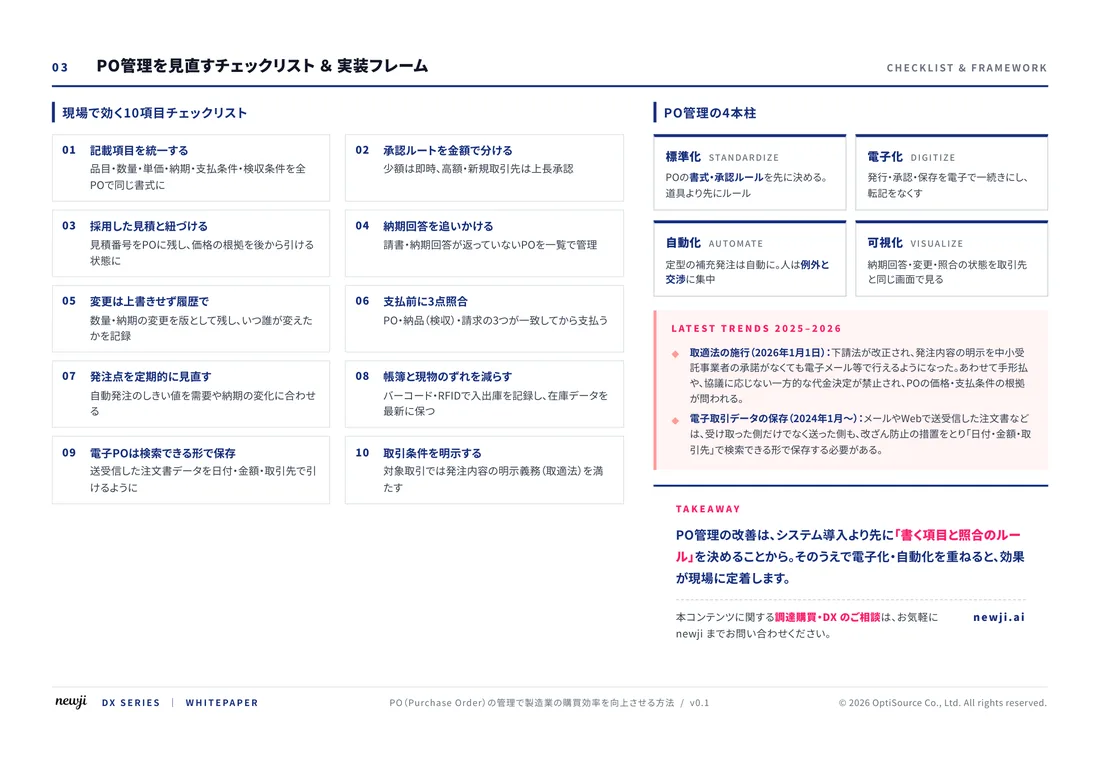
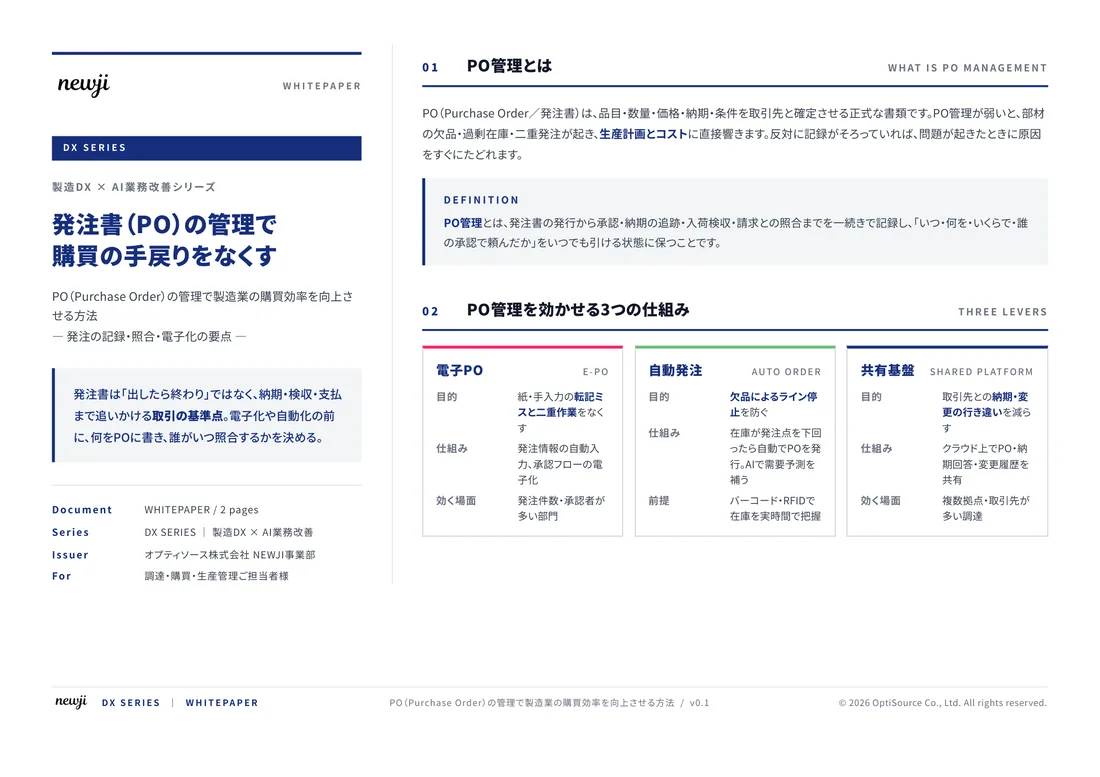
FREE DOCUMENT — サービス資料(PDF・無料)
製造業の見積・受発注クラウド
「Newji one」とは
Newji one は、製造業の調達・受発注に特化したクラウド/AIエージェント。見積依頼・発注書作成・進捗管理・承認をひとつの画面に集約し、AIが比較と異常検知を担当。最後の「GO」だけ人が押す仕組みです。
▶ 製造業の見積・受発注クラウド「Newji one」を、資料で見る(PDF・無料)
- 見積〜発注〜納期を一元管理。催促・転記のムダをゼロに
- AIが相見積もり比較と異常検知。あなたは判断だけに集中
- 取引先は「招待」で完全無料。自社コストだけで取引先ごとデジタル化
※ 取引先から招待された企業様は完全無料でご利用いただけます
関連記事
-

CAD/CAM/CAEで製造業を改革:市場開拓とブランディング戦略の最前線
-

Manufacturing Innovations Enabled by Digital Twin Technology
-
CAD/CAM/CAE導入で調達購買プロセスを最適化する方法
-

CAD/CAMソフトウェアの進化と製造業営業の生産性向上戦略
-
The Fusion of Digital and Reality AR/VR in Manufacturing
-
Catching the Wave of Innovation at the Forefront of Digitalization in Manufacturing
 NEWJI総研
 OEM/ODM 生産委託
 AI/DX支援
 見積・発注クラウド Newji one
受発注が増えるほど、入力・確認・催促が重くなる。
受発注管理を“仕組み化“して、ミスと工数を削減しませんか。
見積・発注・納期まで一元管理できます。