

- お役立ち記事
- How to set up newji’s AI-OCR learning function to automatically follow changes in form layout

スタートアップから大手まで。
調達・受発注をAIで標準化。
相見積比較も進捗管理もAIが下支え。取引先は招待で完全無料。

How to set up newji’s AI-OCR learning function to automatically follow changes in form layout

目次
Understanding the Basics of AI-OCR
Artificial Intelligence Optical Character Recognition (AI-OCR) technology has revolutionized the way we process documents.
It leverages machine learning and deep learning algorithms to extract text from images or scanned documents efficiently.
For businesses that deal with high volumes of paperwork, AI-OCR can dramatically cut down manual data entry tasks by automating text recognition.
What Makes AI-OCR Different?
Traditional OCR systems rely on recognizing fixed patterns to extract text.
AI-OCR, on the other hand, uses artificial intelligence to understand the content, structure, and context of the document.
This allows it to adapt to different layouts, fonts, and languages with higher accuracy.
AI-OCR can improve over time by learning from new data.
This adaptability ensures it becomes more precise with each form it processes.
Introducing Newji’s AI-OCR Learning Function
Newji has developed a state-of-the-art AI-OCR which includes a learning function that allows it to automatically follow changes in form layouts.
This feature is designed to help users manage dynamic document structures without the need for constant manual intervention.
The Benefits of Using Newji’s AI-OCR
1. **Efficiency:** Automated adjustments to layout changes mean reduced time in form processing.
2. **Accuracy:** Continual learning improves text recognition accuracy, minimizing errors.
3. **Scalability:** Adaptability to new document types makes it ideal for growing businesses.
Setting Up Newji’s AI-OCR Learning Function
To fully leverage Newji’s AI-OCR capabilities, you’ll need to properly configure the system to recognize and learn from form layout changes automatically.
Step-by-Step Setup Guide
1. **Install and Access Newji’s Platform:**
– Begin by installing Newji’s software on your system.
– Access the user interface through your computer or cloud service, as per your implementation preference.
2. **Initial Document Scanning:**
– Conduct an initial scan of existing documents to let the AI build a foundation for learning.
– Use a variety of documents to give the AI as many patterns as possible to start its learning process.
3. **Configure the Learning Mode:**
– Navigate to the settings section of the AI-OCR tool.
– Enable the learning mode to allow the system to adjust to changes in real-time.
– This setting is crucial, as it activates the AI’s machine learning capabilities.
4. **Define Key Fields for Extraction:**
– Specify the fields that are critical for your operation, such as Names, Dates, Addresses, or ID numbers.
– This helps the AI understand what data points need prioritization during text extraction.
5. **Input Sample Data for Training:**
– Provide sample documents to the AI to enhance its understanding of your specific document requirements.
– Ensure samples reflect possible variations in form layouts.
6. **Regularly Update Learning Inputs:**
– Continuously feed the system with updated documents, especially when there is a format change.
– This will help the AI adjust its recognition patterns and maintain accuracy.
7. **Monitor and Adjust Settings:**
– Use the monitoring tools within Newji’s platform to track performance metrics.
– Adjust settings as needed to fine-tune the AI’s efficiency.
Ensuring Optimal Performance
Periodical Review and Feedback
Regularly review the AI-OCR’s performance by comparing extracted data accuracy against original documents.
Provide feedback through the system interface if errors are detected.
This feedback mechanism is vital for ongoing improvements.
Embrace Regular Updates
As Newji continues to refine its AI-OCR technology, ensure you maintain up-to-date software.
Software updates often include new machine learning models and enhanced algorithms that can benefit document processing efficiency.
Conclusion
Newji’s AI-OCR with an automatic learning function represents a significant advancement in document processing technology.
By setting it up correctly, organizations can enjoy improved efficiency, accuracy, and adaptability.
This not only reduces the resource burden but also provides the agility needed to handle changing document formats effortlessly.
Embrace this technology and watch as it transforms the way you deal with document processing.
この記事の理解を深める
無料ホワイトペーパーをプレゼント
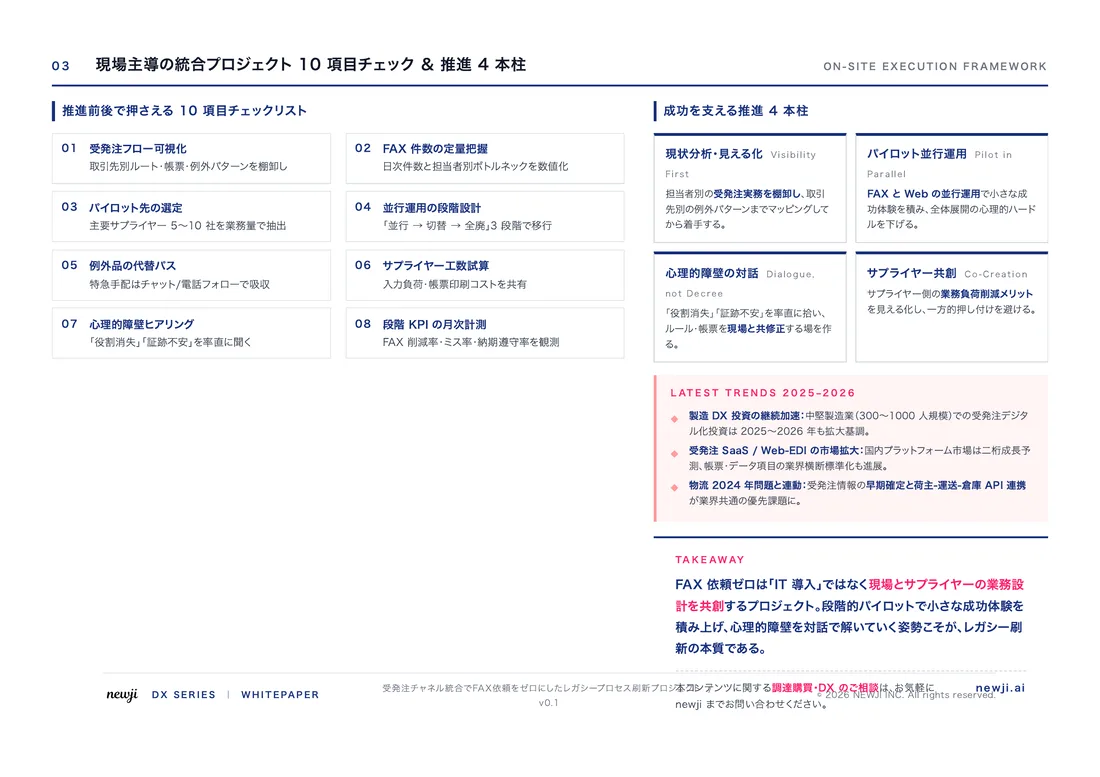
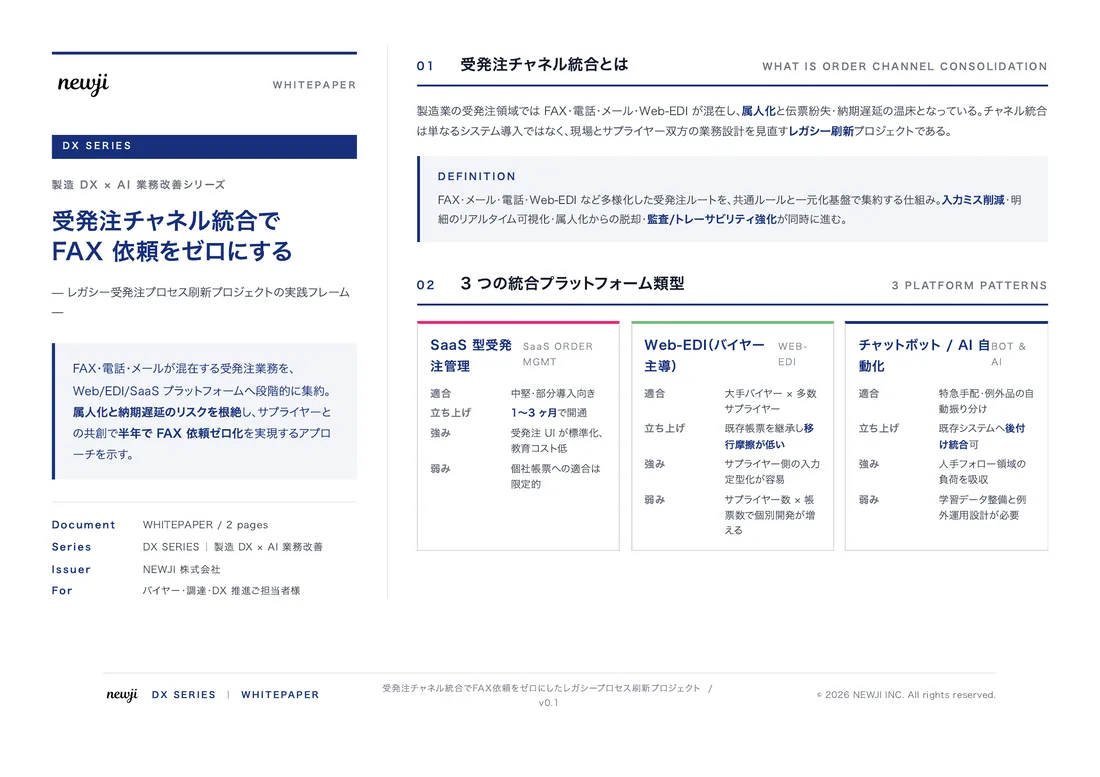
製造業の現場で使える実務資料(PDF)を無料でお届けします。"こんな資料が届きます" ↓ 下のボタンからどうぞ。
PRODUCT — 製造業向け 調達・受発注クラウド
この記事の課題、
newji で解決しませんか?
newji は、製造業の調達・受発注に特化したクラウド/AIエージェント。見積依頼・発注書作成・進捗管理・承認をひとつの画面に集約し、AIが比較と異常検知を担当。最後の「GO」だけ人が押す仕組みです。
- 見積〜発注〜納期を一元管理。催促・転記のムダをゼロに
- AIが相見積もり比較と異常検知。あなたは判断だけに集中
- 取引先は「招待」で完全無料。自社コストだけで取引先ごとデジタル化
※ 取引先から招待された企業様は完全無料でご利用いただけます


 調達購買アウトソーシング
 OEM/ODM 生産委託
 NEWJI DX
 受発注AIエージェント