

- お役立ち記事
- CAD Exercise Guide for Achieving Highly Efficient Design through Link Mechanism Motion Analysis

その単価は妥当か。
AI が根拠付きで分析。
相見積の比較も発注も進捗管理も、ひとつの画面に。

CAD Exercise Guide for Achieving Highly Efficient Design through Link Mechanism Motion Analysis

目次
Introduction to CAD Exercise for Link Mechanism
In the ever-evolving world of design and engineering, CAD (Computer-Aided Design) has emerged as an indispensable tool.
One of the advanced applications of CAD is in the analysis of link mechanism motion.
When we talk about link mechanisms, we refer to a series of bodies connected by joints, designed to produce a desired motion or force transfer.
This is prevalent in machinery, robotics, and even everyday equipment like bicycles.
Understanding and perfecting this motion can enhance the overall efficiency and functionality of a design.
Understanding Link Mechanisms
Before diving into the exercises, it’s crucial to comprehend what link mechanisms are.
In essence, these are systems of connected links designed to convert input motion into a desired set of outputs.
These can vary from simple two-bar linkages to complex multi-bar arrangements.
Understanding the basics of link mechanics helps in appreciating the nuances involved in their motion analysis.
Link mechanisms are characterized by links, joints, and the path of motion they create.
The simplest form is a four-bar linkage, which consists of four rigid components connected by pivot points.
These are fundamental in many cyclic processes where rotational movement is paramount.
Why Motion Analysis is Important
Motion analysis of link mechanisms is essential for several reasons.
First, it allows engineers and designers to visualize, simulate, and adjust the movement of their systems efficiently.
This is particularly important in ensuring that mechanisms perform their designated tasks smoothly and without unintended interference.
Through motion analysis, potential issues such as collisions, excessive stress on specific points, or inefficiencies in movement can be identified early in the design phase.
This prevents costly revisions and ensures that the design process is time-efficient.
Ultimately, understanding the intricacies of motion helps in customizing movement paths to better fit the intended application.
Preparing for a CAD Exercise
Before engaging in CAD exercises, ensure you understand the software at your disposal.
Programs like AutoCAD, SolidWorks, and Fusion 360 all have capabilities for CAD-based motion analysis.
Having a basic understanding of these software suites and their associated tools lays the foundation for successful CAD exercises.
Additionally, familiarize yourself with the specific linkage design you intend to analyze.
Create an initial sketch — either on paper or digitally — to outline the concept of your mechanism.
Understand the degrees of freedom in your system and how each component interacts within the linkage.
Step-by-Step CAD Exercise
Step 1: Defining the System
Start by translating your sketch into the CAD environment.
Use lines and arcs to define links, ensuring that scales and proportions closely represent the physical system.
This digital draft forms the groundwork for subsequent simulations.
Step 2: Assembling the Mechanism
Now, interconnect the defined links using joints available in the CAD software.
Most platforms offer joint types like revolute, prismatic, and cylindrical that cater to different motion needs.
Ensure that all components of your mechanism are linked correctly to simulate accurate motion paths.
Step 3: Applying Constraints
Introduce constraints that reflect real-world operations.
This could involve angle limits, fixed points, or movement paths.
Proper constraints ensure that the simulation operates within defined boundaries, reflecting practical application.
Step 4: Running the Simulation
With the system assembled and constraints applied, initiate motion analysis.
Run the simulation to observe movement, noting any unexpected actions or points of failure.
Incorporate adjustments as needed to optimize movement pathways.
Step 5: Analyzing and Refining
Pay close attention to the outcomes of your simulation.
Identify any arcs of motion that lack smooth continuity or spots where links overlap undesirably.
Iteratively adjust components to refine movement, ensuring that the mechanism fulfills its intended function efficiently.
Benefits of CAD in Motion Analysis
CAD facilitates a detailed, dynamic environment where engineers can experiment with different configurations efficiently.
It simplifies the design process through visualization tools that elucidate otherwise complex interactions.
By using CAD in link mechanism motion analysis, time to market is decreased, errors are minimized, and the final product benefits from increased reliability and performance.
Moreover, CAD offers detailed documentation capabilities, including animation and detailed reporting that support robust communication with stakeholders.
Whether for documentation or teaching purposes, these outputs are crucial in maintaining clarity and engagement throughout the project lifecycle.
Conclusion
Mastering the use of CAD for link mechanism motion analysis is a significant step toward achieving highly efficient designs.
The process begins by understanding the fundamental principles of link mechanisms and gradually delves into hands-on CAD exercises.
Ultimately, the knowledge gained through such exercises will enable designers to anticipate potential design flaws, improve performance, and ensure successful implementation of complex systems.
As the demand for precision and efficiency in design grows, so does the importance of comprehensive motion analysis in engineering.
この記事の理解を深める
無料ホワイトペーパーをプレゼント
製造業の現場で使える実務資料(PDF)を無料でお届けします。"こんな資料が届きます" ↓ 下のボタンからどうぞ。
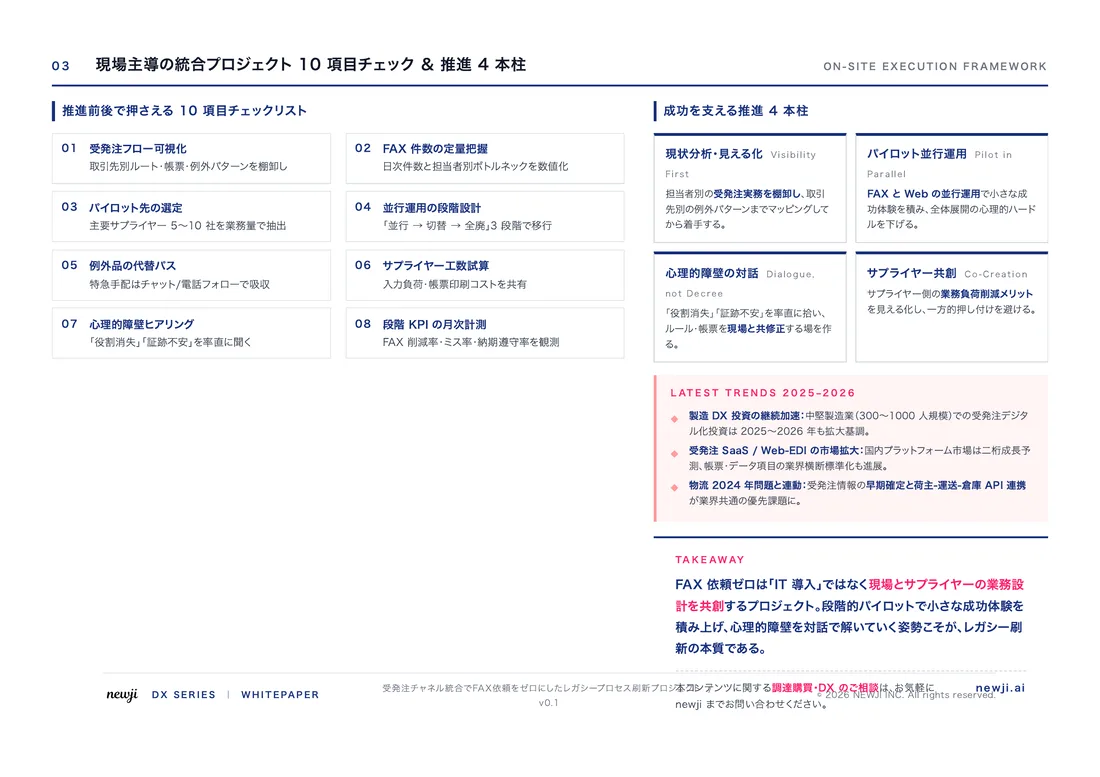
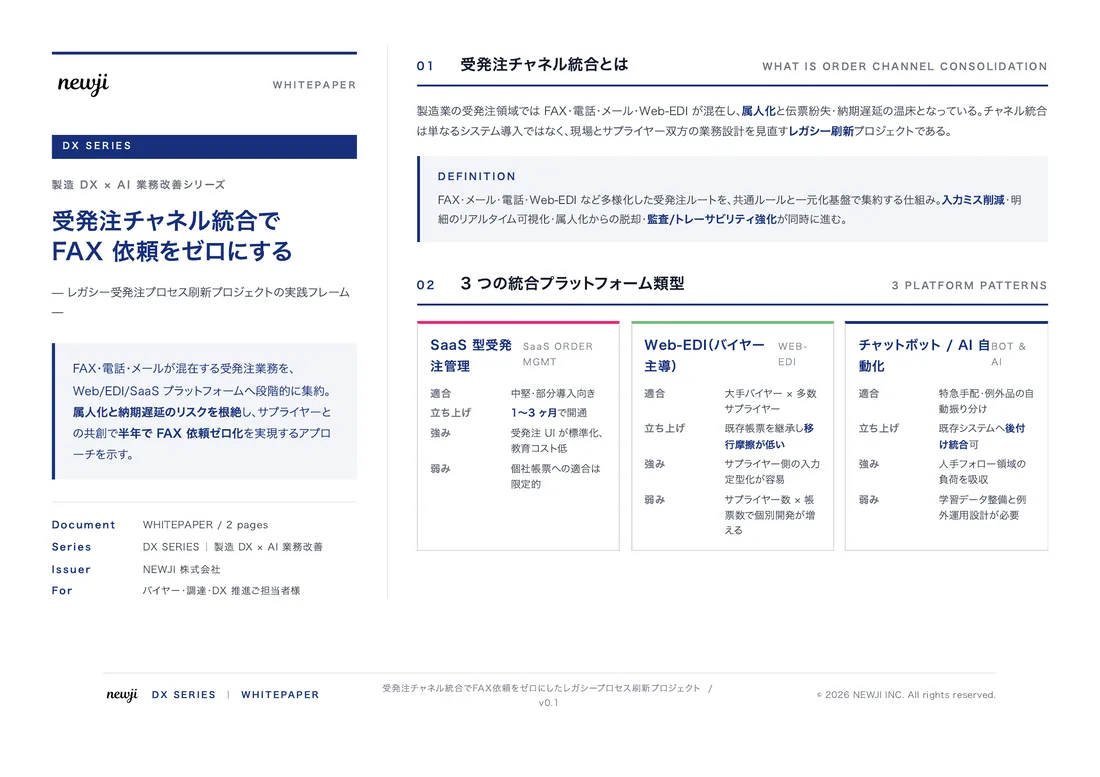
FREE DOCUMENT — サービス資料(PDF・無料)
製造業の見積・受発注クラウド
「Newji one」とは
Newji one は、製造業の調達・受発注に特化したクラウド/AIエージェント。見積依頼・発注書作成・進捗管理・承認をひとつの画面に集約し、AIが比較と異常検知を担当。最後の「GO」だけ人が押す仕組みです。
▶ 製造業の見積・受発注クラウド「Newji one」を、資料で見る(PDF・無料)
- 見積〜発注〜納期を一元管理。催促・転記のムダをゼロに
- AIが相見積もり比較と異常検知。あなたは判断だけに集中
- 取引先は「招待」で完全無料。自社コストだけで取引先ごとデジタル化
※ 取引先から招待された企業様は完全無料でご利用いただけます
関連記事
-

Practicing Motion Economy to fundamentally improve work efficiency in manufacturing
-

CAD/CAM/CAEで製造業を改革:市場開拓とブランディング戦略の最前線
-

CAD/CAM/CAE導入で調達購買プロセスを最適化する方法
-
Risk Management and Avoidance Enhancing Digital Security in Manufacturing
-

次世代の製造現場を実現!CC-Linkが切り拓くデジタルトランスフォーメーションの未来
-

CAD/CAMソフトウェアの進化と製造業営業の生産性向上戦略
 NEWJI総研
 OEM/ODM 生産委託
 AI/DX支援
 見積・発注クラウド Newji one
受発注が増えるほど、入力・確認・催促が重くなる。
受発注管理を“仕組み化“して、ミスと工数を削減しませんか。
見積・発注・納期まで一元管理できます。