

- お役立ち記事
- Numerical calculation and simulation programming practical course using Python

その単価は妥当か。
AI が根拠付きで分析。
相見積の比較も発注も進捗管理も、ひとつの画面に。

Numerical calculation and simulation programming practical course using Python

目次
Introduction to Numerical Calculations and Simulations
Numerical calculations and simulations are fundamental tools in various scientific and engineering disciplines.
They allow us to solve complex mathematical problems that would be impossible to tackle analytically.
In recent years, Python has emerged as a powerful language for numerical calculations due to its simplicity and robust libraries.
This article aims to guide you through the practical course of using Python for numerical calculations and simulation programming.
Why Use Python?
Python has gained immense popularity in the scientific community for several reasons.
Its syntax is easy to learn and read, making it accessible to beginners while still being powerful enough for experienced programmers.
Moreover, Python offers an extensive range of libraries such as NumPy, SciPy, and Matplotlib, which are specifically designed for numerical and scientific computations.
These libraries provide built-in functions and tools that simplify the process of numerical calculations and visualizations.
Numerical Calculations with Python
Numerical calculations involve algorithms and methods for solving mathematical problems.
These problems could range from simple arithmetic operations to complex differential equations.
Python, with its rich ecosystem, provides efficient ways to handle these calculations.
Using NumPy for Numerical Operations
One of the core libraries for numerical calculations in Python is NumPy.
NumPy provides support for arrays and matrices, along with a collection of mathematical functions to operate on these data structures.
Let’s look at some basic operations using NumPy.
“`python
import numpy as np
# Creating an array
array = np.array([1, 2, 3, 4, 5])
# Performing basic operations
sum_array = np.sum(array)
mean_array = np.mean(array)
“`
These operations are just the tip of the iceberg.
NumPy allows for more complex operations such as vector and matrix manipulations, which are essential in numerical calculations.
Simulation Programming with Python
Simulation programming is the process of creating a model that mimics a real-world process.
Simulations are widely used in fields like physics, biology, and economics to study complex systems and predict future behaviors.
Introduction to SciPy for Simulations
SciPy builds on NumPy and provides more advanced functions for mathematical operations, optimization, and simulation.
It is particularly useful for performing tasks such as numerical integration and solving differential equations.
“`python
from scipy.integrate import solve_ivp
def model(t, y):
dydt = -0.5 * y
return dydt
# Solving a simple differential equation
solution = solve_ivp(model, [0, 10], [1], t_eval=np.linspace(0, 10, 100))
“`
In the example above, we solve a differential equation using SciPy’s `solve_ivp` function.
This is an example of how Python can be utilized for simulation programming.
Visualizing Simulations with Matplotlib
Visualization is a crucial aspect of simulations as it helps in understanding the results better.
Matplotlib is a library in Python that makes it easy to plot data and visualize the outcomes of any numerical calculations and simulations.
“`python
import matplotlib.pyplot as plt
plt.plot(solution.t, solution.y[0])
plt.xlabel(‘Time’)
plt.ylabel(‘Solution’)
plt.title(‘Differential Equation Solution’)
plt.show()
“`
In this example, we plot the solution of our differential equation using Matplotlib.
Visualization provides a clearer picture of how the system behaves over time.
Advanced Topics in Numerical and Simulation Programming
Once you have a grasp of the basics, you can explore more advanced topics in numerical calculations and simulation programming.
Monte Carlo Simulations
Monte Carlo simulations use random sampling to obtain numerical results.
They are particularly useful in risk analysis and financial modeling.
Parallel Computing
For large-scale simulations, Python supports parallel computing, allowing the distribution of computational tasks across multiple processors.
This significantly improves the performance and efficiency of simulations.
Conclusion
Python is a versatile and powerful tool for numerical calculations and simulation programming.
Its comprehensive libraries, combined with its ease of use, make it an ideal choice for both beginners and professionals in scientific computing.
Whether you are looking to perform simple numerical operations or complex simulations, Python provides the necessary tools and resources to achieve your goals.
By mastering the skills discussed in this course, you will be well-equipped to tackle various computational challenges in your field.
この記事の理解を深める
無料ホワイトペーパーをプレゼント
製造業の現場で使える実務資料(PDF)を無料でお届けします。"こんな資料が届きます" ↓ 下のボタンからどうぞ。

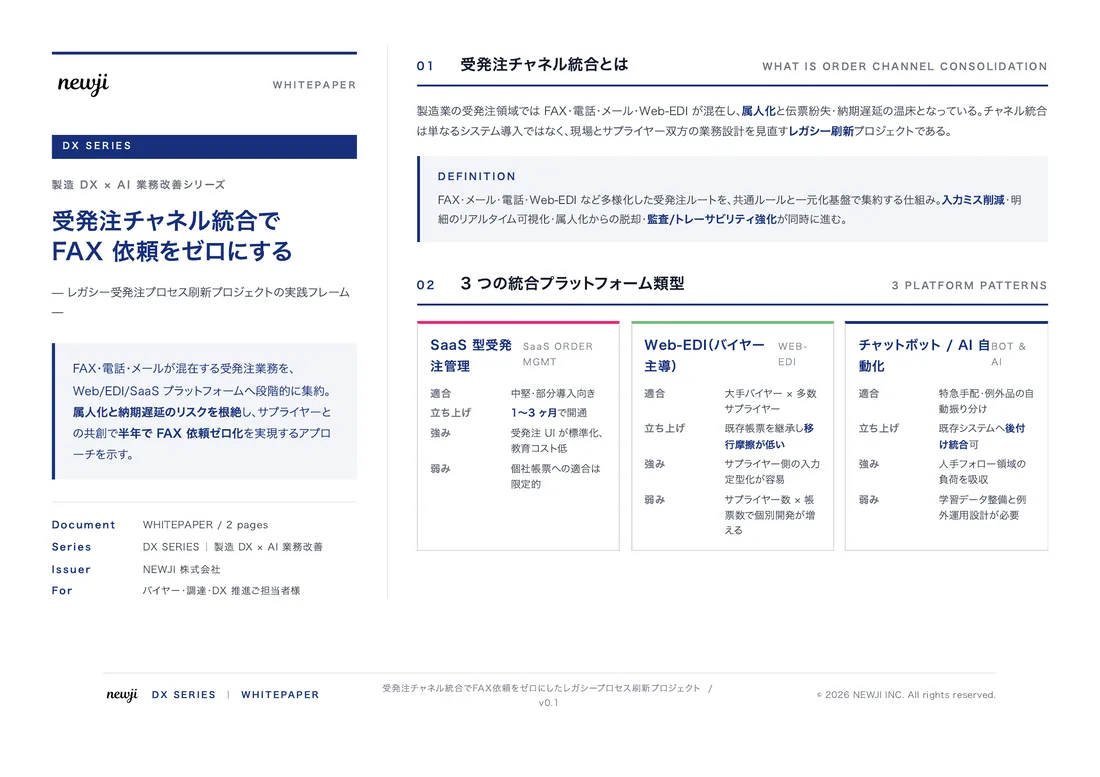
FREE DOCUMENT — サービス資料(PDF・無料)
製造業の見積・受発注クラウド
「Newji one」とは
Newji one は、製造業の調達・受発注に特化したクラウド/AIエージェント。見積依頼・発注書作成・進捗管理・承認をひとつの画面に集約し、AIが比較と異常検知を担当。最後の「GO」だけ人が押す仕組みです。
▶ 製造業の見積・受発注クラウド「Newji one」を、資料で見る(PDF・無料)
- 見積〜発注〜納期を一元管理。催促・転記のムダをゼロに
- AIが相見積もり比較と異常検知。あなたは判断だけに集中
- 取引先は「招待」で完全無料。自社コストだけで取引先ごとデジタル化
※ 取引先から招待された企業様は完全無料でご利用いただけます


 調達購買アウトソーシング
 OEM/ODM 生産委託
 NEWJI DX
 受発注AIエージェント