
From RFQ to purchase order, all in one.
No sign-up for your suppliers.
An order management platform built for manufacturing.
Your suppliers reply straight from the link in the email they receive.
14 days free, no credit card required / Invited companies use it completely free
Do any of these sound familiar?
Double entry across Excel and paper
Hand-keying FAX and paper order forms into Excel. Transcription errors and month-end overtime have become the norm.
Work stops when one person is out
Knowledge of suppliers, prices, and lead times lives only in one person's head.
Price data is all over the place
Unit prices and terms for each supplier are scattered across files—no one knows which is current.
You can't trust your inventory numbers
Lags between receiving and shipping leave physical stock and the books out of sync, causing stockouts and overstock.
Comparing quotes takes a full day
Sending RFQs to multiple suppliers, collecting and comparing them by hand—decisions get delayed.
Approvals happen verbally
Orders are approved by word of mouth or email. With no record of who approved what, internal controls suffer.
How Newji one transforms your operations
Hours lost on orders—
FAX, email, and Excel re-entry
From ordering to document generation,
AI handles it—you just approve
Price negotiations once a year,
always reacting late to raw-material spikes
Cost data visualized in real time,
respond instantly with bulk price revisions
"What happened with that order?"
You have to ask the person in charge
With global search,
reach the information you need right away
Hard to hire enough procurement staff,
siloed knowledge makes handovers impossible
AI agents take on procurement work,
so you can run lean with a small team
See the actual product
Because it's a tool the procurement floor uses every day,
we obsessed over an interface that's intuitive to operate.
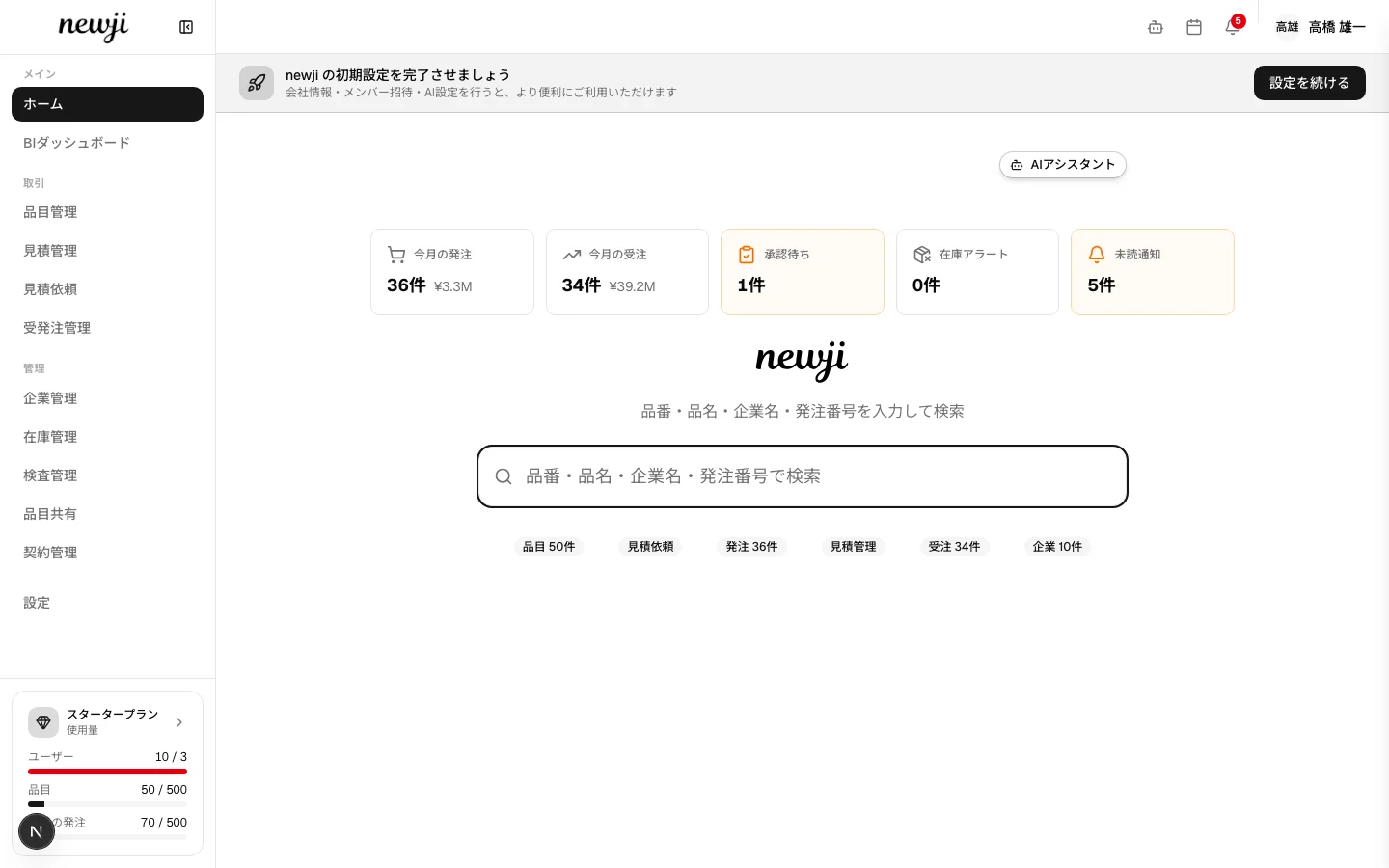
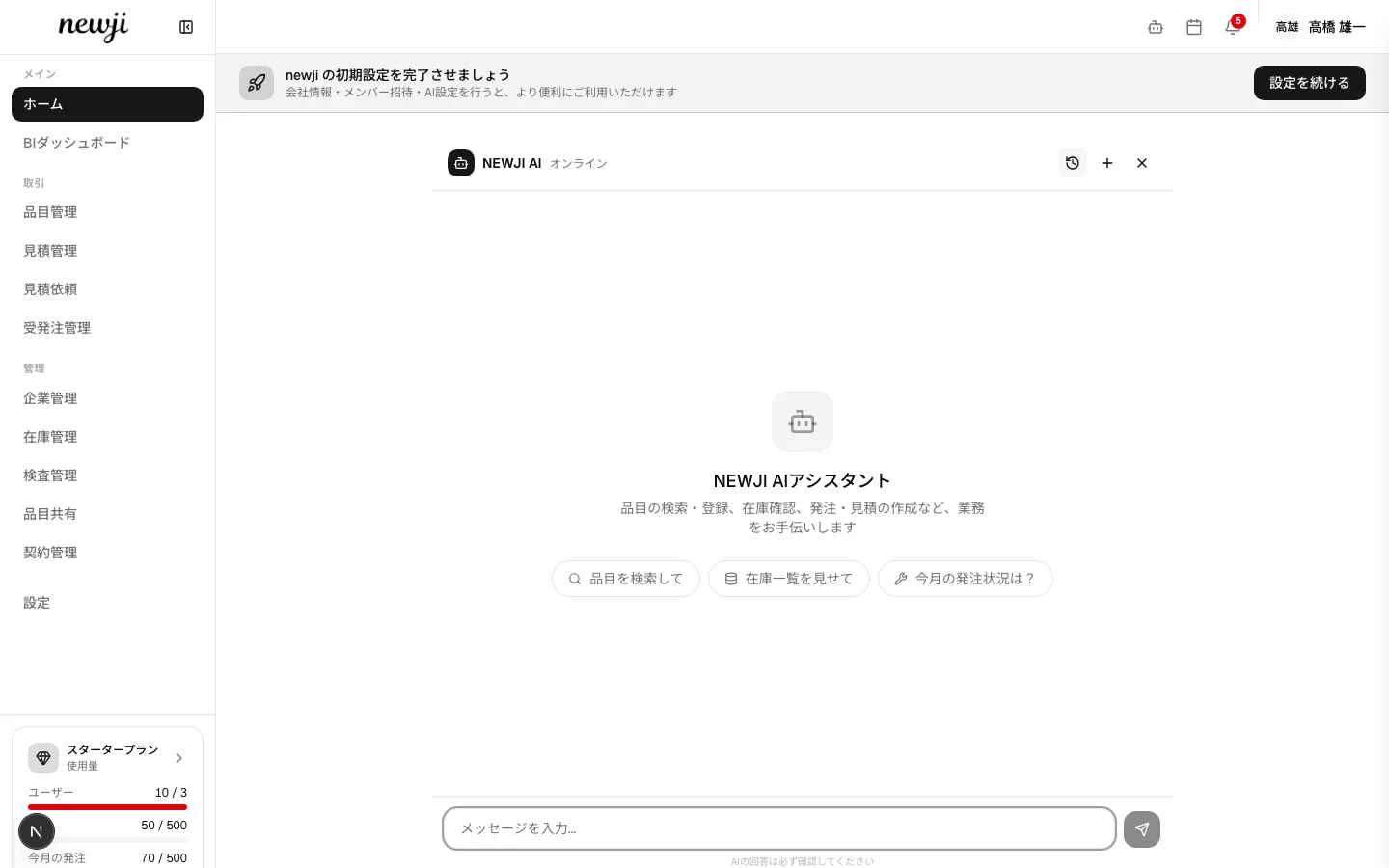
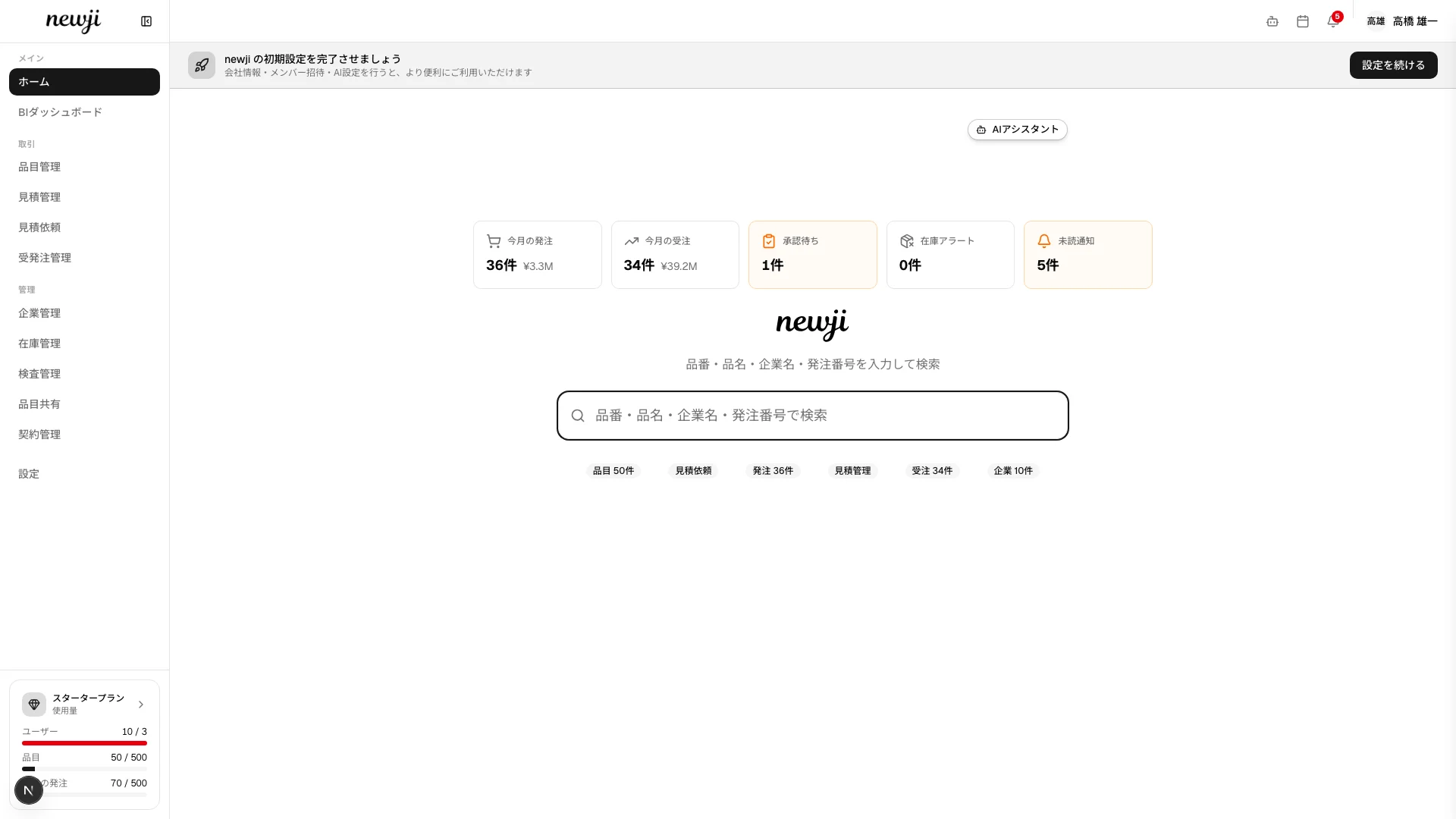
Dashboard
Item number, item name, company name, PO number—search anything globally. See item, order, and quote counts at a glance with quick-access badges, and reach the information you need fast.
RFQ & quote comparison
Automatically compare quotes from multiple suppliers side by side. Decide the best combination of price, lead time, and terms instantly—no spreadsheet required. Whether a quoted unit price is reasonable, high, or low, the AI comments on it against your past transactions and registered costs.

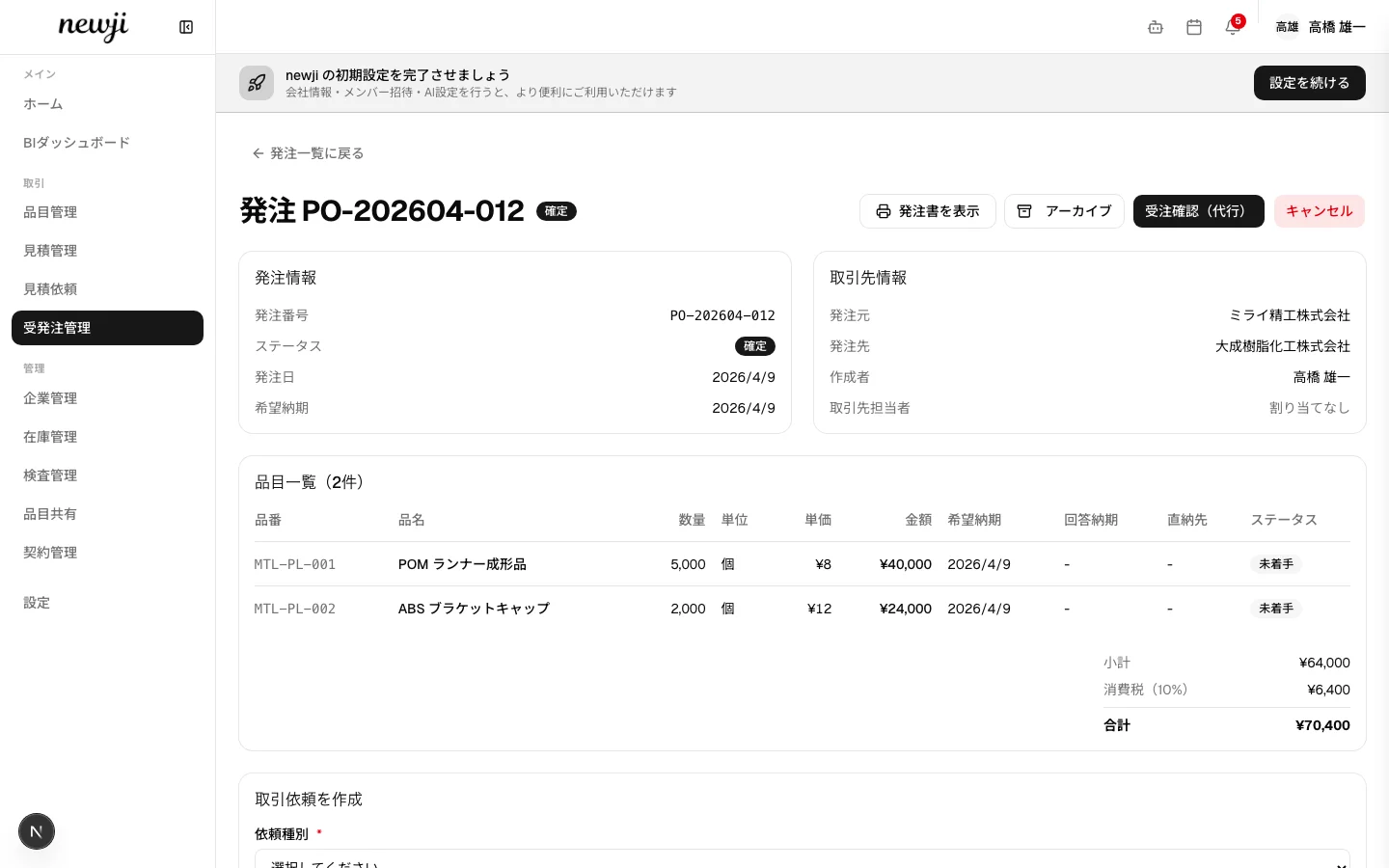
Order management
Track every status in real time, from creating a purchase order through approval, shipment, and delivery. Every change is logged, so "he-said-she-said" disputes disappear.
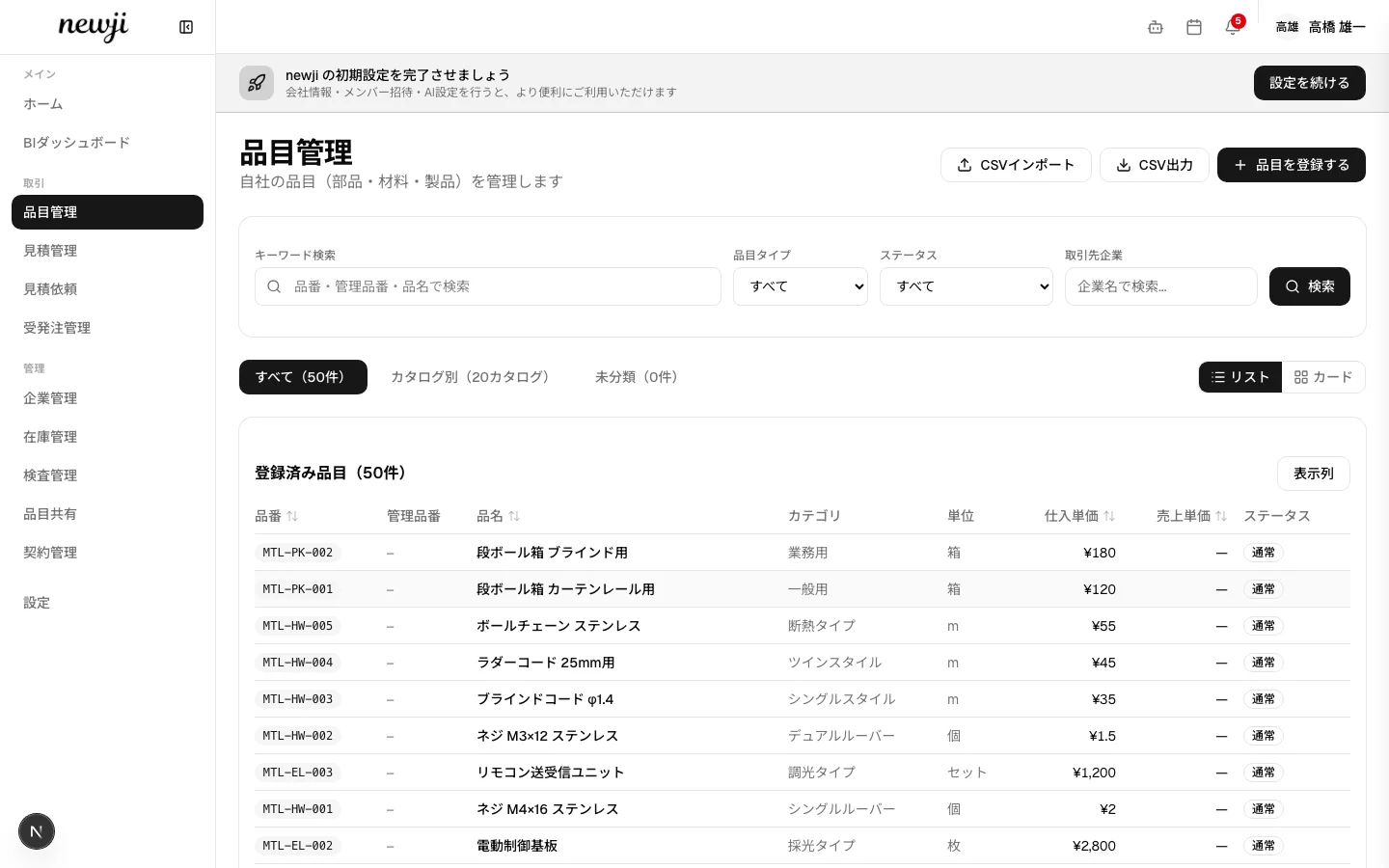
Item master management
Manage item numbers, names, suppliers, unit prices, and lead times in one place. Switch between list and card views to grasp item information intuitively.
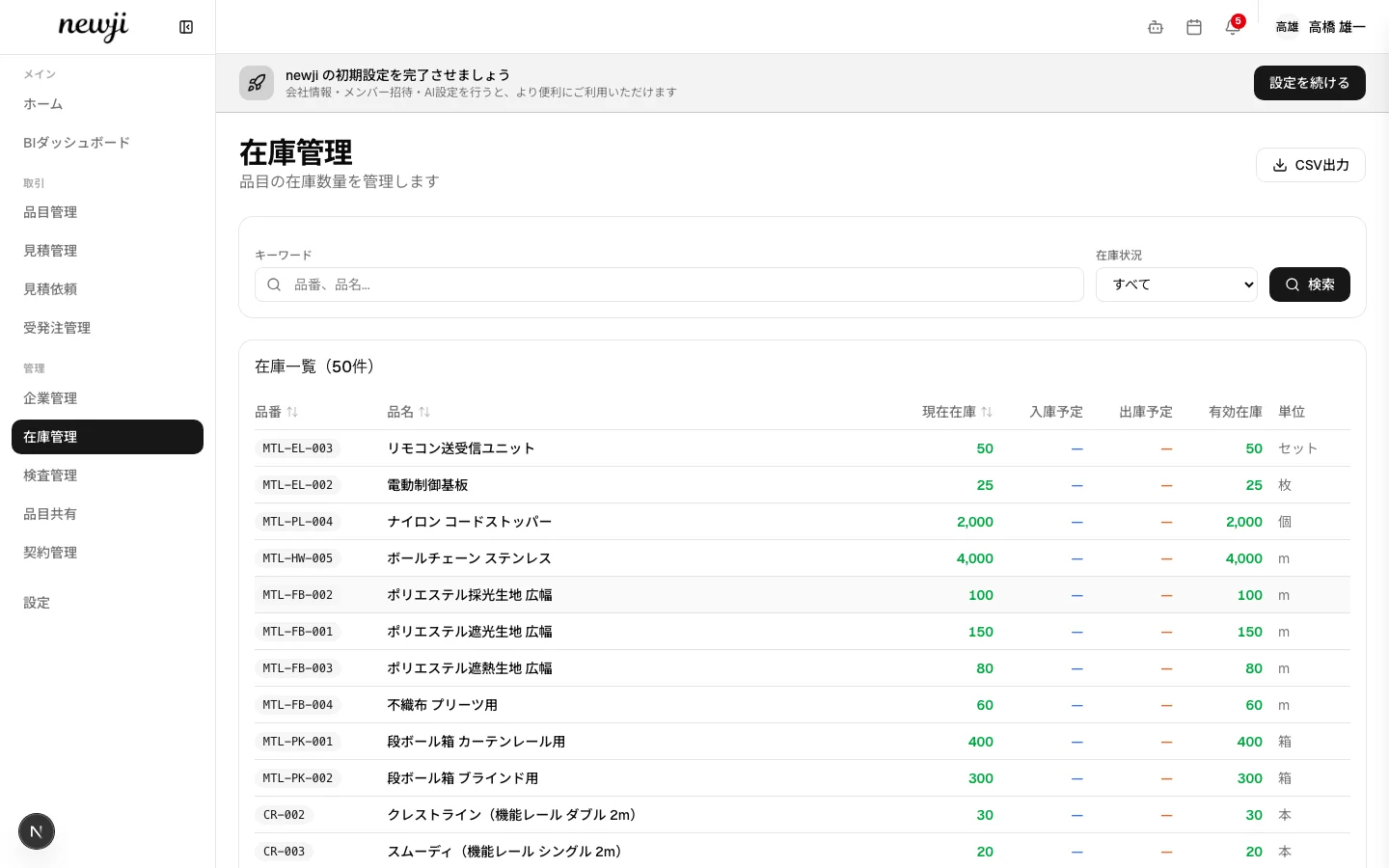
Inventory management
Visualize on-hand stock, scheduled receipts, scheduled issues, and available stock with color coding. Spot stockout risk at a glance to support your ordering decisions.
AI agent
"How are this month's orders?" "Check Company A's stock"—just give instructions in natural language, and the AI runs 45 skills, from item search to inventory checks and order creation. Any action requiring approval always goes through human confirmation first.
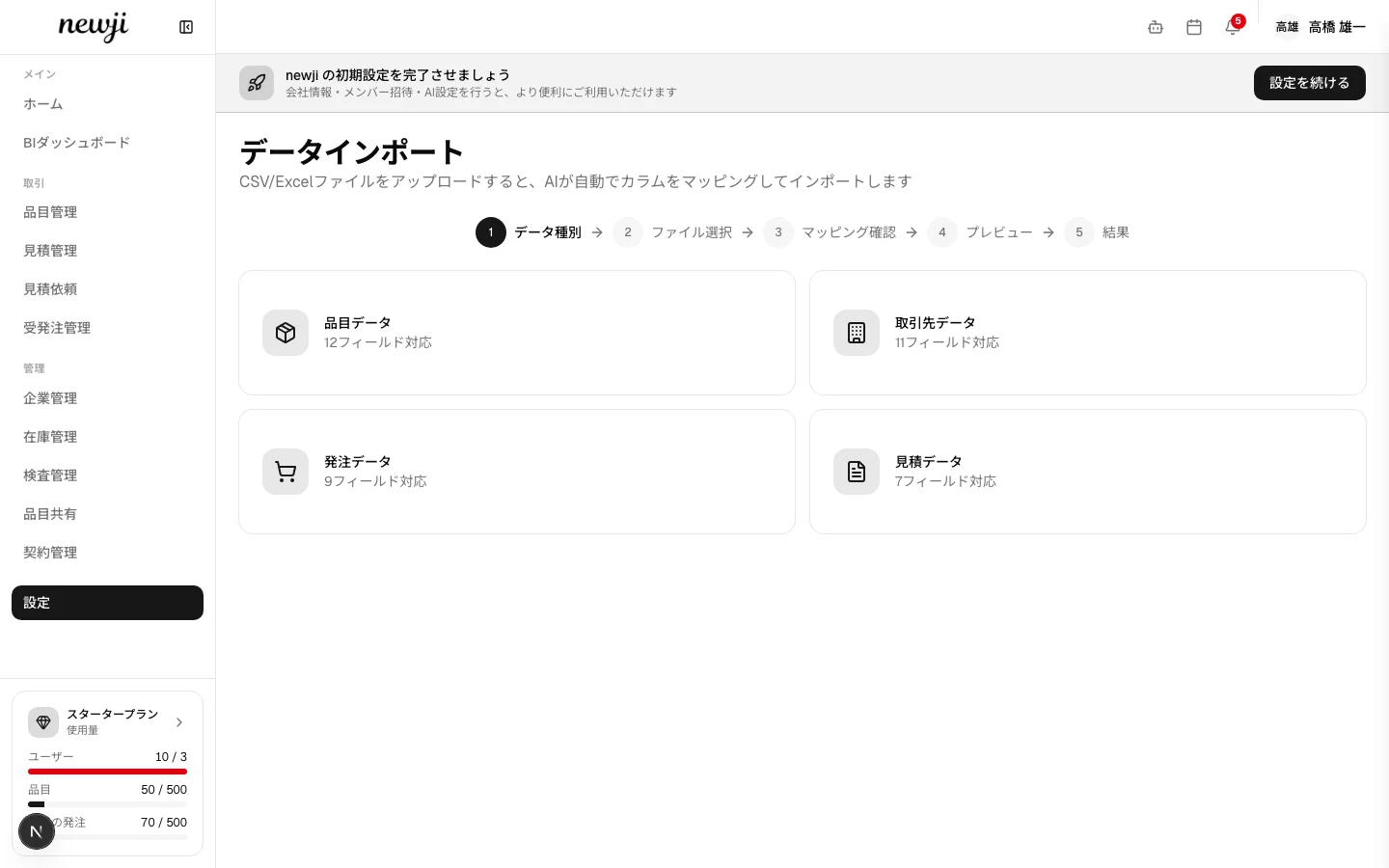
AI Import
Just upload CSV or Excel from another system, and the AI automatically recognizes the columns and maps them to Newji one's data format. It supports four data types—items, business partners, orders, and quotes—completing tedious data migration in just a few minutes.
The change in procurement Newji one is built to deliver
Results in numbers vary by company.
Newji one creates change like the following, together with our customers.
Eliminate wasted transcription and tallying
Unify information scattered across FAX, paper, and Excel. Break free from double entry and month-end tallying overtime.
Break down knowledge silos
Everyone checks suppliers, prices, and terms on the same screen. Work no longer stops when someone changes roles.
Shorten time to decision
Quote comparison, inventory checks, and order status in a single screen. No more waiting for monthly reports.
An organization that runs lean
An AI assistant supports search, tallying, and document creation, keeping operations going even when short-staffed.
Faster to try it than to hear about it.
Use every feature free for 14 days from sign-up—no credit card required. Your data stays even after the trial ends.
Industries we serve

Food products

Beverages, Tobacco & Feed

Textiles

Apparel & Textile Products

Wood & Wood Products

Furniture & Fixtures

Pulp & Paper

Printing

Chemicals

Oils, Detergents & Paints

Pharmaceuticals

Cosmetics

Petroleum & Coal Products

Plastic Products

Rubber Products

Leather & Fur Products

Ceramics, Stone & Clay Products

Iron & Steel

Non-Ferrous Metals

Fabricated Metal Products

General-Purpose Machinery

Production Machinery

Business-Oriented Machinery

Precision Machinery

Electronic Components & Devices

Electrical & Electronic Equipment

Electrical Machinery

Information & Communication Equipment

Automotive & Transport Equipment

Other Manufacturing
Customer voices

Sample Company A
Procurement Dept.
After adoption, the workload of our ordering operations dropped dramatically. Information we used to manage in Excel is now fully unified...

Sample Company B
Purchasing Section
Price negotiations with suppliers became visible, directly driving cost reductions. The BI dashboard in particular...

Sample Company C
Manufacturing Dept.
Inventory visibility brought stockouts to nearly zero. Trust on the floor changed. Global search is handy too...
The procurement automation Newji one is building toward
Quote collection, price comparison, order processing, delivery management—
AI agents progressively take over the procurement work people used to judge and execute.
The final "GO button" stays in human hands—this is the future Newji one is building toward.
Order request
Customer enters items and quantities
Quote collection
Auto-sends RFQs to multiple suppliers
Price comparison
Auto-analyzes price, lead time, and terms
Best recommendation
Recommends the best supplier
Approval
Just press the GO button
Auto-ordering
Auto-creates and sends the purchase order
NOWWhat you can do in Newji one today
Already implemented—available from day one once you adopt newji.
AI reference check on price validity
On the RFQ comparison screen, the AI returns a reference comment on each supplier's quoted unit price across four levels—reasonable / high / low / hard to judge. It always shows what it based the judgment on—your past transactions and registered costs. When data is insufficient, it won't force a judgment.
* Currently applies to JPY-denominated quotes. AI usage is included in your monthly plan — no API key required.
Manage RFQs and comparisons in one place
Send RFQs to multiple suppliers at once and aggregate their responses in the system. Compare price, lead time, and terms side by side to choose the best source.
Auto-generate purchase-order drafts from sales orders
Expand the BOM from sales-order data and auto-generate supplier-by-supplier PO drafts. Run them through multi-step approval workflows and handle PO creation and PDF output end to end.
An AI assistant that operates on your behalf
Give instructions in natural language—"Check Company A's stock," "Show last month's orders"—and the AI handles item search, order creation, RFQs, and more. Creating or updating data always requires human approval first.
AI alerts (auto-detection of inventory, price, and lead-time risks)
The AI checks daily for low stock, price changes, and delivery-delay risks, surfacing them on the dashboard as "AI suggestions," with recommended order quantities and alternatives. Execution always goes through human approval first.
* Detection thresholds (days of stock, price-change rate, days of delay) are adjustable per company.
NEWRecently released
Major updates in the first half of 2026. Features marked * are enabled per your subscription.
Major RFQ & quotation upgrades
Duplicate past RFQs, set target prices with vs-target comparison, send reminders to unanswered suppliers, accept declines, capture validity dates / payment terms / quantity-tier pricing / attachments, AI-assisted quote intake and proxy entry, send approval, and a full audit trail.
RFQ analytics (savings tracking)
Visualize response rate, response lead time, decline rate, unit-price savings on adoption, and per-supplier responsiveness by period — report procurement results in numbers.
BOM-driven sourcing
Create a multi-supplier RFQ for all components of an item in one click from its BOM, with each component's preferred supplier preset as a recipient.
3-way matching *
Automatically cross-check orders, receipts/inspections, and documents to catch missed acceptances and quantity/amount mismatches in a dedicated inbox.
Closing invoices, payment reconciliation & credit limits *
Issue frozen consolidated invoices by closing date and partner, reconcile payments with outstanding balance tracking, and visualize per-customer credit limits.
E-invoicing (JP PINT) *
Export closing invoices as JP PINT-compliant XML (UBL 2.1), Japan's Digital Agency standard, ready for accounting software or Peppol access points.
Split deliveries & inter-location stock transfers
Issue a delivery note per partial shipment of a single order, and record stock movements between locations with full history.
freee accounting integration
In addition to Money Forward Cloud, Newji one now integrates with freee — sync invoice data and eliminate double entry in accounting.
PWA mobile support & Manager role
Add Newji one to your home screen and use it like an app (with offline support). A new Manager role handles approvals only, clarifying the split between operations and management.
ROADMAPWhat's coming next
Features currently in development or under consideration. Release timing will be announced as it's decided.
AI price assessment for multi-currency quotes
Today's AI price assessment covers JPY-denominated quotes; we plan to extend it to foreign-currency quotes such as USD, EUR, and CNY. With exchange rates factored in, AI reference judgments will support transactions with overseas suppliers too.
AI suggestion center and impact measurement
We plan to consolidate the dashboard's "AI suggestions" on a dedicated page and visualize suggestion history, approval rates, and actual impact—aiming for a system that continuously improves AI judgment accuracy in operation.
Expanded AI access to external data
We plan to expand the AI's direct access to external information needed for procurement decisions—market, logistics, and public data. Support for MCP (Model Context Protocol) is also under consideration.
AI automates migration from other systems
Just upload CSV or Excel from your existing system.
The AI automatically recognizes the columns and maps them to Newji one's data format—completing tedious data migration in just a few minutes.
Choose data type
Select items, partners,
orders, or quotes
Upload file
Drag & drop
CSV or Excel
AI mapping
AI auto-recognizes columns
and shows confidence
Preview & review
Visually check and
edit the mapping result
Import complete
Instantly reports successes,
skips, and errors
Any format works
The AI infers the best mapping from column names and sample data. It handles Japanese, English, and abbreviations, showing confidence as a percentage. Manual edits are easy too.
Supports four data types
Items (SKU, unit price, BOM), business partners (company info, contacts), orders (order number, delivery date), and quotes (customer, validity period)—migrate your key master data all at once.
A reassuring review flow
AI mapping results are always confirmed in a preview before execution. Errors and warnings are shown row by row, so you can fix only the problem rows and re-import.
Easy data integration with your existing tools
Standard CSV import/export for all your data—items, business partners, inventory, quotes, orders, contracts, and more.
Exchange data smoothly with your Excel and accounting software.
CSV data integration
Import and export all your data in CSV—items, business partners, inventory, quotes, orders, contracts, and more. The AI auto-recognizes columns, so there's no need to set up complex conversion rules. No more "once data goes in, you can't get it out."
An AI assistant that operates on your behalf
Just instruct everyday tasks in natural language—item search, inventory checks, order creation, RFQs—and the AI handles them. Creating or updating data always requires human approval first.
Excel / CSV
Import your existing spreadsheets as-is. Data migration is easy.
Accounting software
Export order and invoice data as CSV to load into your accounting software.
PDF document output
One-click PDF output for 7 document types: quotation, purchase order, sales order confirmation, invoice, delivery note, material tag, and inspection report.
External service integration
Connect with HubSpot, Zaico, Money Forward Cloud, and freee (all paid plans). For individual integration with core systems, please contact us.
We protect B2B transaction data to the same standard as a bank
Your procurement data is your competitive edge itself.
Newji one is designed and operated on the principle that a system handling money and information between companies needs bank-grade quality.
Two-factor authentication (2FA)
Supports TOTP-based two-factor authentication—strong authentication that a password alone can't breach.
Complete per-company data isolation
Every data read and write is scoped to a company ID, so other companies' data is structurally inaccessible. Only intentional sharing (such as shared items) is treated as an exception.
Multi-step approval workflows
Set approval rules by amount or conditions to systematically prevent unintended orders and actions.
Change history for every action
Every data change—items, orders, quotes, and more—is recorded as history. You can trace who changed what, and when, supporting audits and internal controls.
Unauthorized-access prevention (rate limiting)
Set rate limits per action—up to 10 login attempts per 15 minutes, 100 API calls per hour, and so on—to automatically block brute-force attacks and abnormal traffic.
Fine-grained permissions
Set access rights by role—procurement, sales, administrator, and more—opening only the information each person needs.
Error monitoring and operational visibility
We continuously monitor server errors and anomalies, detecting issues in real time. Structured logs let us trace what happened in which operation, so we respond quickly when problems arise.
Quality standards and automated testing
Every code change runs automated tests, type checks, and build verification. We mechanically confirm that data isn't leaking to other companies and that permission checks are in place before releasing.
AI actions always need human approval
Critical actions where an AI agent creates or updates data always go through human confirmation and approval. The final call always stays with a human, so unintended automation can't break your operations.
Resources & articles

Nidec's governance reform and field-led DX: a vision for the future of Japanese manufacturing
2026.04.03
The evolution of arm-type brush cutters and field reform: the future of DX in manufacturing
2026.04.03
Buffalo's "non-flammable battery": safety innovation and digital transformation in Japanese manufacturing
2026.04.03

Prioritization dilemmas when driving mass-production cost reduction at a consumer-goods maker
2026.04.02
The limits of overseas OEM projects that neglect local talent development
2026.04.02

Sanctions risk casts a shadow over overseas procurement
2026.04.02
The limits of overseas OEM projects that neglect local talent development
2026.04.02
Buffalo's "non-flammable battery"
2026.04.03
Nidec's governance reform and field-led DX
2026.04.03
Prioritization dilemmas when driving mass-production cost reduction at a consumer-goods maker
2026.04.02
Sanctions risk casts a shadow over overseas procurement
2026.04.02
The evolution of arm-type brush cutters and field reform
2026.04.03
Sanctions risk casts a shadow over overseas procurement
2026.04.02
Prioritization dilemmas when driving mass-production cost reduction at a consumer-goods maker
2026.04.02
Nidec's governance reform and field-led DX: a vision for the future
2026.04.03
The evolution of arm-type brush cutters and field reform
2026.04.03
Buffalo's "non-flammable battery"
2026.04.03
The limits of overseas OEM projects that neglect local talent development
2026.04.02
Downloadable resources
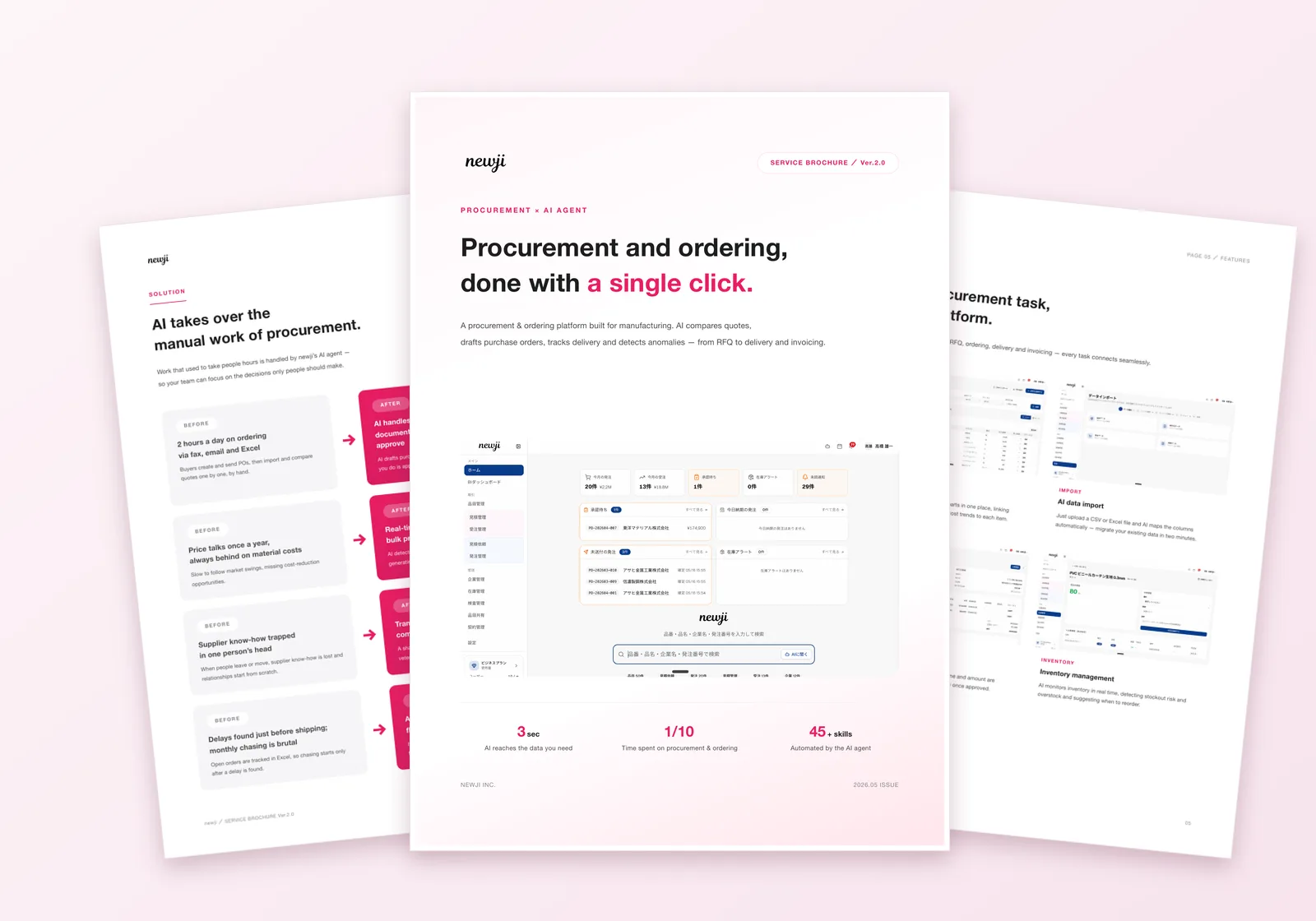
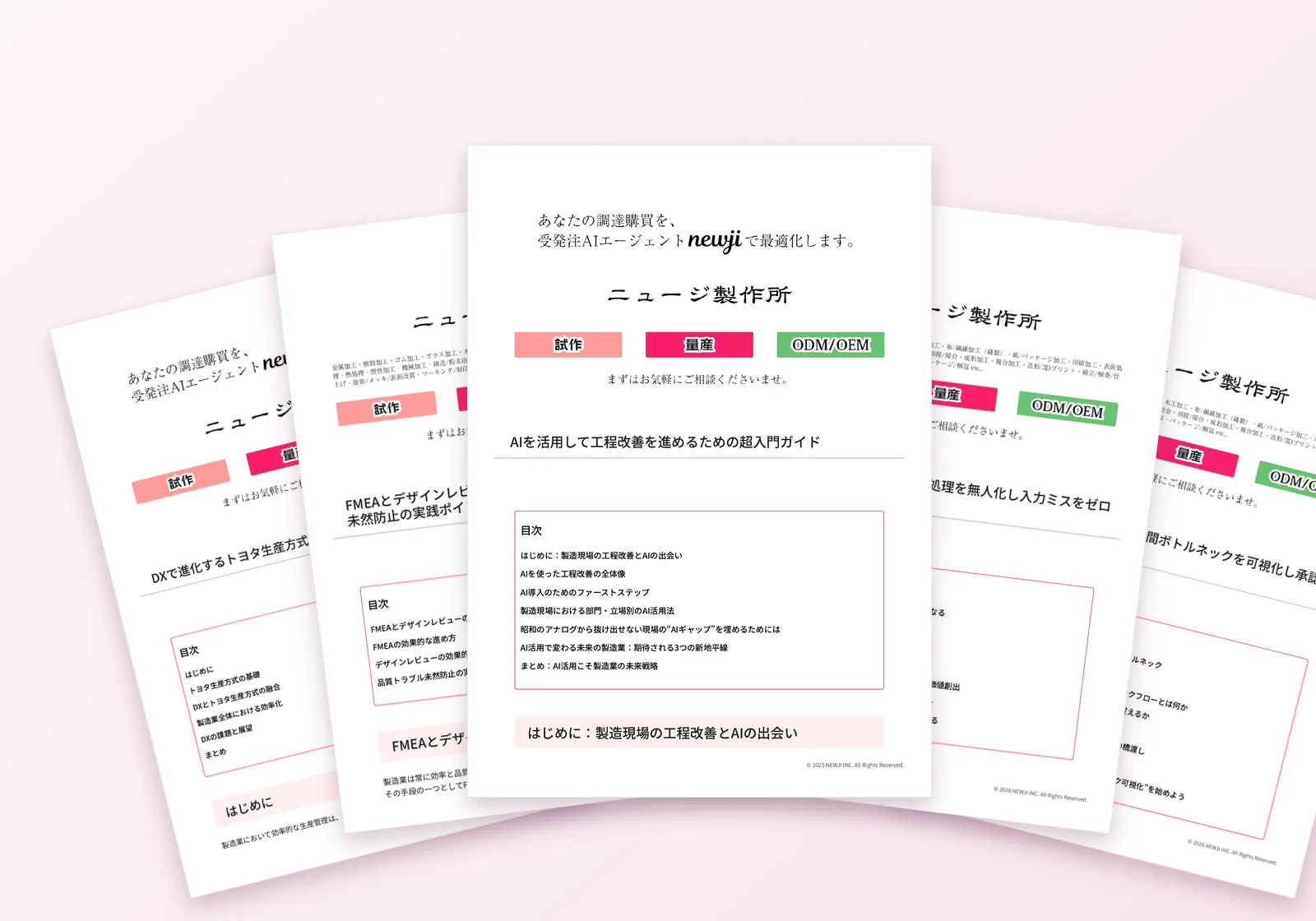
 Download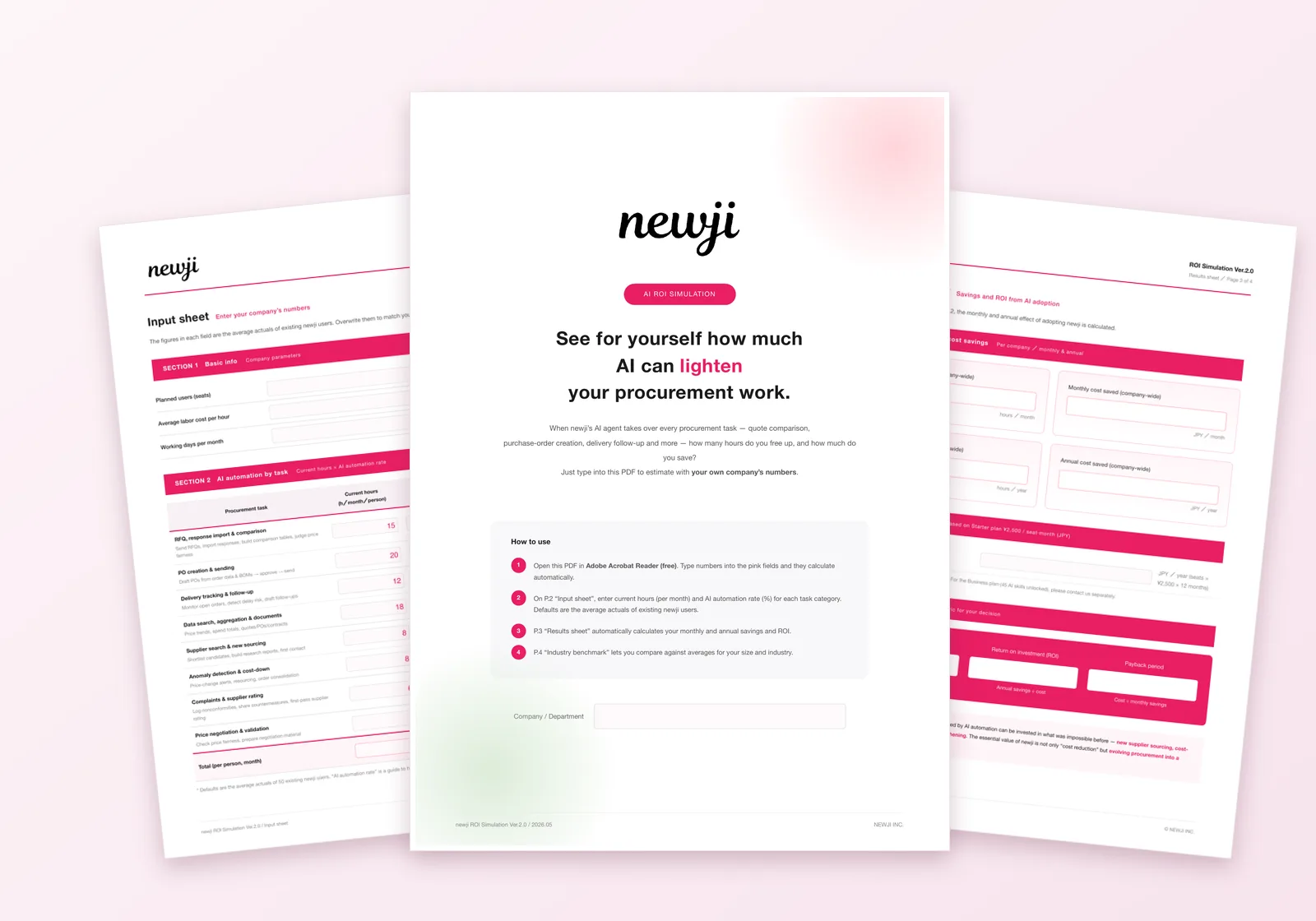
Simple, transparent pricing
Digitize your entire trading network for the cost of your own adoption alone.
Whichever plan you choose, you start with 14 days of full access from sign-up, with no credit card required.
Companies invited by a business partner can use Newji one at no additional cost.
Invited Plan
For companies invited by a business partner
Solo Plan
For companies with 10 or fewer employees
14 days free, no credit card
Starter Plan
For companies driving their own order operations
14 days free, no credit card
Business Plan
For companies needing full-scale rollout and data integration
14 days free, no credit card
For 11 users or more, we offer the Enterprise Plan (custom quote). Contact us here
Feature comparison
See at a glance what each plan includes.
* All prices exclude tax. USD figures are approximate, calculated at the exchange rate at the time of writing (1 USD ≈ 150 JPY), and are for reference only.
Use every feature free for 14 days from sign-up—no credit card required. Once you subscribe, pay by credit card or invoice (bank transfer).
Why not start with a
free 14-day trial?
Create an account in 1 minute. No credit card required.
Companies invited by a business partner can use Newji one completely free.
Frequently asked questions
- How long does it take to get the system up and running?
- You can start using it right after creating an account. If you need onboarding support, feel free to contact us.
- Can it be customized?
- Yes—document templates, approval workflows, management fields, and more can be configured to each company's needs.
- How is data security ensured?
- The application runs on Vercel (Tokyo region) and the database on Supabase (Tokyo region), so your business data is stored within Japan. We implement the security measures enterprise use requires—encryption in transit and at rest, two-factor authentication, access logging, and more.
- What kind of support do you offer?
- Every plan includes email support. We're also happy to help by email with initial setup and moving your existing data.
- Can it integrate with our existing tools?
- It supports CSV import/export as standard, so you can easily exchange data with your Excel and accounting software. It also integrates with HubSpot, Zaico, Money Forward Cloud, and freee (all paid plans; not included in the Invited Plan). For individual integration with core systems, please contact us.
- Is inventory management included?
- Yes—it includes real-time inventory management linked to ordering. See on-hand quantity, scheduled receipts and issues, and available stock at a glance.
- Is it available in multiple languages?
- It supports Japanese, English, and Chinese. You can use it for transactions with overseas suppliers as well.
- Can we migrate data from another system?
- Yes—with the AI Import feature, just upload CSV or Excel files and data is automatically converted and imported. It supports items, business partners, orders, and quotes, and because the AI auto-recognizes columns, there's no need to set up complex conversion rules.
- What can the AI agent do?
- It supports 45 skills, including item search, inventory checks, order creation, RFQs, and partner management. Just instruct it in natural language and the AI executes; critical actions such as creating or updating data always go through human approval first. It runs on leading AI models including Claude, GPT, and Gemini; we select the model, and AI usage is included in your monthly plan (AI features are not available on the Invited Plan).
- If we're invited by a business partner, can we really use it for free?
- Yes. Invited companies can use the "Invited Plan" completely free. There are limits of 1 user and 1 business partner, and issued PDFs carry a "Powered by OptiSource Co., Ltd." watermark, but you can use all the core features—ordering, quoting, and inventory management. There is no cost to the inviting side (the buyer) either.
- What if we want to work with multiple partners on Newji one?
- To do business with a second or further partner on Newji one, you'll need to upgrade to the Solo Plan or above (from 6,000 JPY / month). Upgrading removes the partner limit, eliminates the PDF watermark, and lets you invite partners from your side. If two or more people will use the service, choose the Starter Plan (30,000 JPY / month, up to 5 users).
- What happens when the 14-day free trial ends?
- The free period runs for 14 days from sign-up. Once it ends, you can no longer create or edit data, but billing never starts automatically. The data you already registered is not deleted, and you can still view it and export to CSV and PDF. Subscribe at any time and pick up with the same data. We email you reminders 7, 3, and 1 day before the deadline. When you subscribe, you can pay by credit card or by invoice (bank transfer).
- When do we need the Enterprise Plan?
- When you need 11 or more users, or when your item count or monthly order volume exceeds a plan's limits, we prepare a custom quote. The Solo, Starter, and Business plans are flat monthly rates—the only difference between them is the user limit (1 / 5 / 10).
Got your answers? The fastest way is to try it yourself.
Sign up free →